Database Connectivity
Enter database host, name and user credentials through the front-end connection interface.

Connect to a MySQL database, choose tables and columns, build conditions, and visualize the returned data with Google Charts—through a flexible browser interface that works with different table structures.
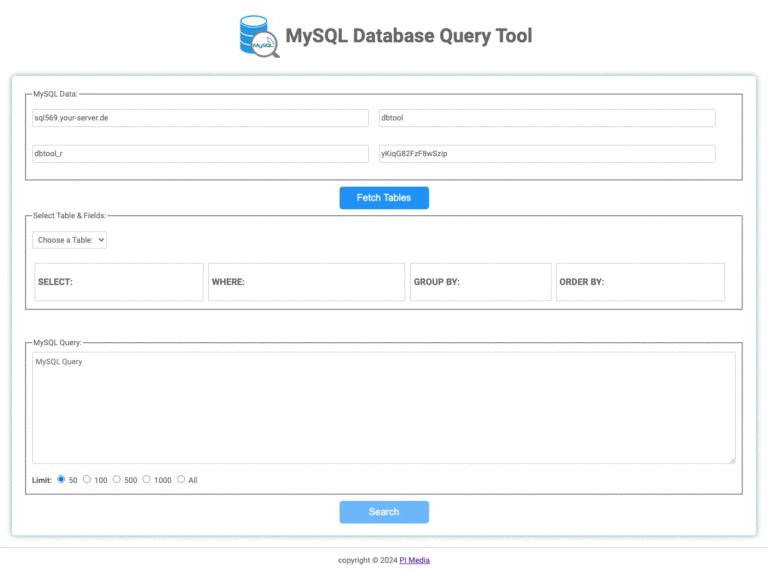
Enter database host, name and user credentials through the front-end connection interface.
Fetch available tables automatically and work with different schemas without binding the tool to one structure.
Select columns, WHERE conditions, grouping and ordering without manually composing every SQL clause.
Present numerical query results as clear, adaptable charts and switch visualization types as needed.
Run the complete connection, selection, query and display workflow from a responsive jQuery-based interface.
Database connections and requests execute in the backend, with result data returned to the front end.
Enter the database host, database name, user and password.
After a successful connection, available tables populate the dropdown.
Choose a table and let the interface discover its available fields.
Select columns, conditions, grouping and ordering options.
Run the query and choose a Google Chart type for the returned data.
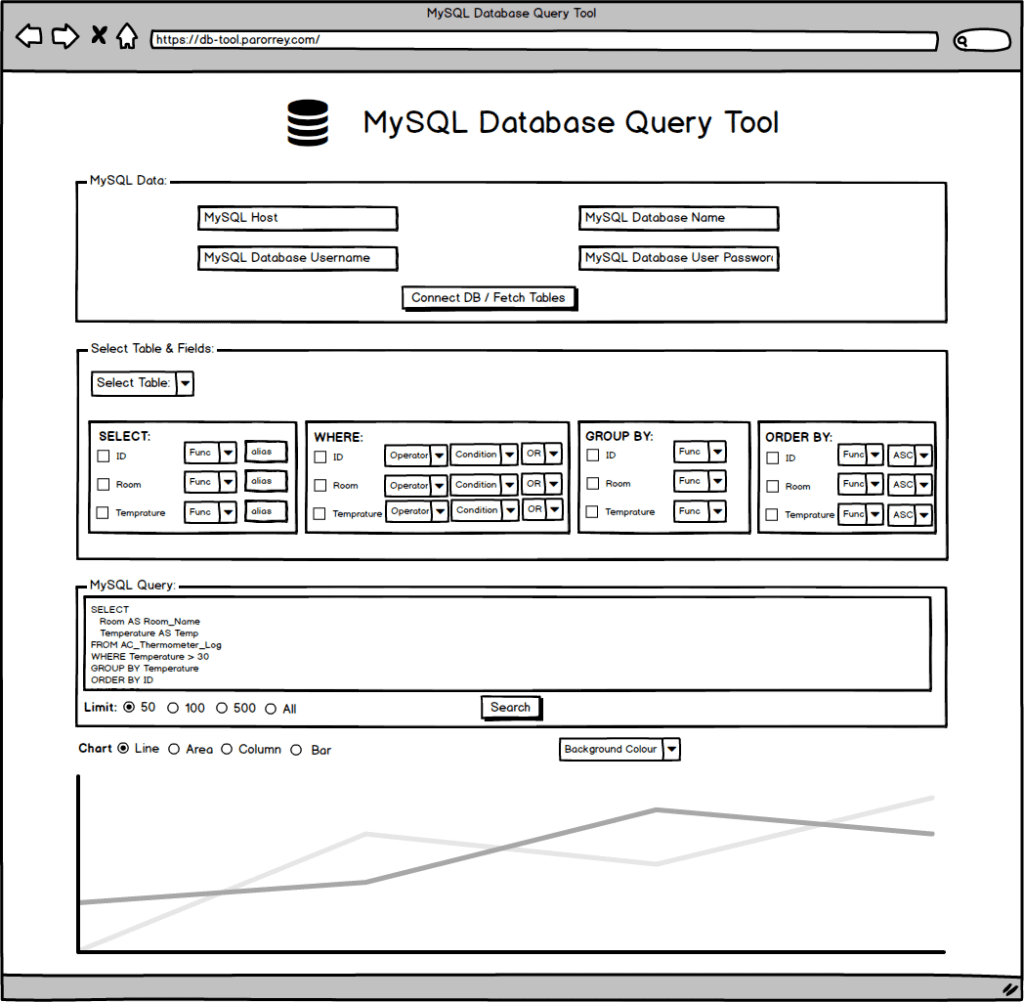
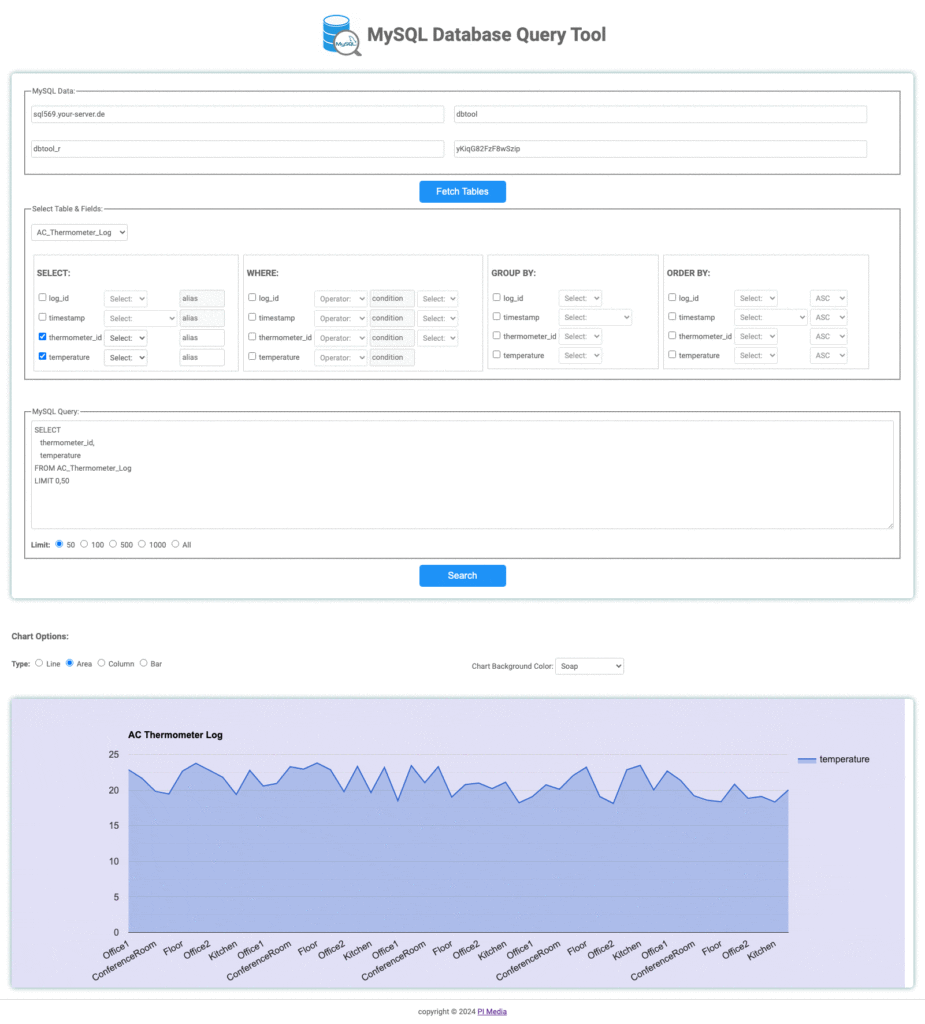
The tool recognizes numeric values in returned datasets and makes them available to Google Charts. Adapt the chart type to the table and question, while retaining the underlying query workflow.
Standard license
Try the live demonstration or tell PI Media about your database structure and reporting requirements.
Open Live Demo| Cookie | Duration | Description |
|---|---|---|
| cookielawinfo-checkbox-analytics | 11 months | This cookie is set by GDPR Cookie Consent plugin. The cookie is used to store the user consent for the cookies in the category "Analytics". |
| cookielawinfo-checkbox-functional | 11 months | The cookie is set by GDPR cookie consent to record the user consent for the cookies in the category "Functional". |
| cookielawinfo-checkbox-necessary | 11 months | This cookie is set by GDPR Cookie Consent plugin. The cookies is used to store the user consent for the cookies in the category "Necessary". |
| cookielawinfo-checkbox-others | 11 months | This cookie is set by GDPR Cookie Consent plugin. The cookie is used to store the user consent for the cookies in the category "Other. |
| cookielawinfo-checkbox-performance | 11 months | This cookie is set by GDPR Cookie Consent plugin. The cookie is used to store the user consent for the cookies in the category "Performance". |
| viewed_cookie_policy | 11 months | The cookie is set by the GDPR Cookie Consent plugin and is used to store whether or not user has consented to the use of cookies. It does not store any personal data. |