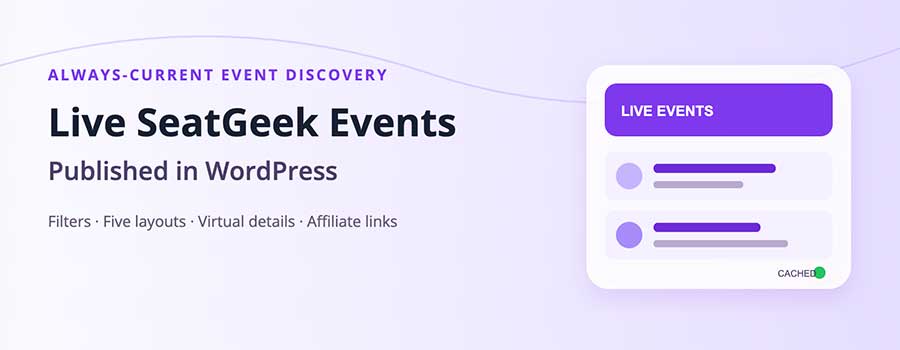
Live SeatGeek event listings let a WordPress site publish current event inventory without manually creating a post for every concert, game, festival or performance. PI Events for SeatGeek turns those API results into responsive frontend cards while giving the site owner control over filters, fields, layouts and ticket links.
The live-listing workflow is included in every licence. See the complete live SeatGeek events for WordPress feature set.
Connect once, then build focused event feeds
A SeatGeek Client ID enables public requests for events, performers, venues and taxonomies. After connecting it in the plugin’s SeatGeek Connection screen, administrators can build listings around location, performer, venue, category, keyword, date range, price and result size. The visual Shortcode Builder produces the final [sg_events] shortcode, so editors do not have to memorize parameters.
Useful examples include a city concert page, a venue’s upcoming-events section, a sports landing page, or a performer-focused schedule. One site can publish several targeted views of the same current SeatGeek data.
Choose which event information visitors see
The Live Event Fields screen controls frontend details such as event title, date, time, venue, location, performers, pricing, image and ticket action. This keeps the display relevant to the page instead of exposing every available API value. Separate Display Styles settings control colors, typography, image height, button appearance, spacing, border radius and columns.
Five layouts cover common editorial needs: two-, three- and four-column grids, a horizontal list, and masonry. The same rendering system is used by shortcodes, widgets and Display on Pages, creating visual consistency throughout the site.
Virtual event pages and permanent content
Live events can receive virtual detail URLs without first becoming database posts. This provides a destination for event discovery while keeping the main workflow API-driven. If permanent WordPress content is preferred, auto-import on first view can silently create a post using the configured post type, status, fields, featured image and categories. The URL then resolves to the native post.
Live listings without uncontrolled API load
Caching is always active for licensed installations. Query-specific refresh locks prevent many simultaneous visitors from triggering the same upstream request. If SeatGeek is temporarily unavailable, stale-on-error behavior can serve the last successful response. Short negative caching also helps avoid repeated failed requests and rate-limit loops.
Business adds custom lifetimes for each content type, scheduled page warming and hit/miss metrics. Standard still receives safe fixed caching, so live event cards do not make an avoidable SeatGeek request on every page view.
Turn ticket clicks into measurable referrals
Site owners can enter SeatGeek Partner aid and rid values once. The plugin appends the configured parameters to ticket links generated by live listings, imports, shortcodes and widgets. Publishers should confirm their required tracking format with the SeatGeek Partner Program before launch.
Three practical live-listing page ideas
A local publisher can create an “Events This Weekend” page using a city, radius and short date range. A venue guide can filter by venue and use the list layout so dates and ticket actions are easy to scan. A music site can build performer or taxonomy pages with visual three-column cards. Each page can retain its own editorial introduction while the event inventory stays current through the API.
Display on Pages is useful for stable destination pages because the assignment lives in the plugin interface. Shortcodes are useful inside articles, reusable blocks and campaign pages. The widget is designed for compact sidebar exposure. All three methods use the same rendering and affiliate-link logic, avoiding a fragmented frontend.
How to configure a focused live feed
- Activate the one-domain licence and test the SeatGeek Client ID.
- Choose the visible event fields and set the ticket-button behavior.
- Create a Display Styles profile with a responsive layout and accessible color contrast.
- Build filters around one clear audience need, such as a city, category, performer or venue.
- Inspect the live preview, then test the final page on desktop and mobile.
- Open a ticket URL and confirm any configured partner parameters.
Avoid using an excessively broad query simply to fill the page. A smaller, relevant feed usually creates a better visitor experience and clearer keyword focus than hundreds of loosely related results.
What happens when an event changes?
Live listings are refreshed according to cache policy, so changes can appear without an editor reopening and saving a WordPress post. Cache duration balances freshness with API efficiency. Administrators can clear the relevant cache group when a known change must be fetched immediately. Business sites can shorten or lengthen the policy for a content type based on how frequently its data changes.
For an event that deserves a permanent editorial page, importing creates a WordPress record. Auto-import-on-view provides a middle path: the site can begin with virtual event URLs and convert viewed details to native posts according to the configured import rules.
Accessibility and content quality checks
Event imagery should support, not replace, readable titles, dates, venues and ticket actions. Use button colors with sufficient contrast, avoid displaying fields that add no visitor value, and make sure list and grid choices remain usable at narrow widths. Add unique page copy above or around the feed so visitors understand the location, category or selection criteria.
Which licence is needed?
Standard, Business and Developer all include live listings, five layouts, field controls, virtual details, affiliate tracking and safe caching. Standard supports up to three Display on Pages assignments. Business expands page publishing and adds advanced caching and automation. Developer adds application-facing APIs and integration controls. Each licence is limited to one server-verified domain.
Publish live SeatGeek event listings on WordPress →