Shortcodes and widgets make event data useful outside a dedicated event template. PI Events for SeatGeek provides a visual Shortcode Builder, a unified [sg_events] shortcode, entity shortcodes and a sidebar widget so editors can place SeatGeek content in pages, posts and widget areas.
See all available SeatGeek WordPress shortcodes and widgets.
One event shortcode for live and imported sources
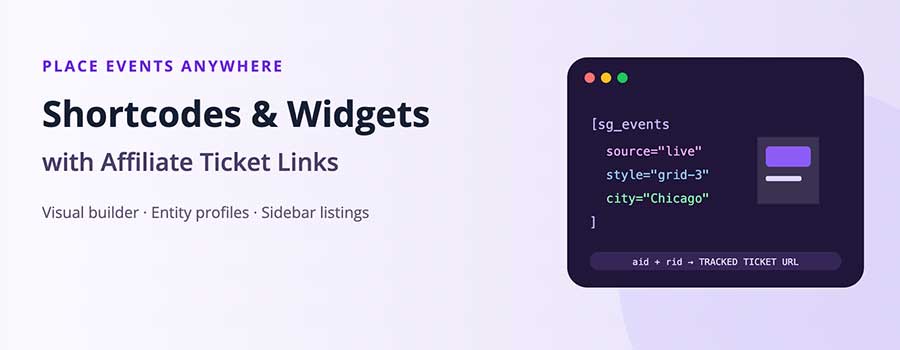
The [sg_events] shortcode accepts a source of live or imported. It can control layout, result size, pagination and filters such as keyword, city, performer, venue and category. Imported results can also use WordPress category and tag filters.
For example, a publisher can place a live three-column music feed in one article and an imported list of sports events in another without changing PHP templates. Both inherit the corresponding Display Styles profile.
The visual Shortcode Builder
The builder translates editorial choices into shortcode attributes. Administrators select the source, filters, number of results, pagination and one of five layouts, then copy the generated shortcode. This reduces syntax errors and makes the feature accessible to content teams that do not work directly with code.
Performer and venue shortcodes
Every licence includes virtual entity features:
[sg_performer]displays a performer profile.[sg_venue]displays a venue profile.[sg_performer_events]shows upcoming events for a performer.[sg_venue_events]shows upcoming events for a venue.
Business and Developer add [sg_performers] and [sg_venues] for searchable directory landing pages. These directory shortcodes work with the Card, Glass UI and Flat themes configured through the Directory Wizard.
Sidebar event widget
The PI SG Events widget places a compact event listing in a registered WordPress widget area. It uses the same plugin data and link-building logic, helping a site surface relevant events next to editorial content without maintaining a separate feed implementation.
Affiliate tracking across every display
SeatGeek Partner aid and rid values are entered once in SeatGeek Connection. The plugin applies them to ticket URLs produced by live listings, imported event posts, Display on Pages, shortcodes and the widget. This central configuration reduces the risk of one display path omitting referral parameters.
Affiliate participation and tracking requirements are governed by SeatGeek, so publishers should verify the current Partner Program terms and test their final ticket URLs.
Common shortcode recipes
A live city feed can combine source="live", a city filter, a result size and style="grid-3". An editorial archive might use source="imported", a WordPress category and style="list". A visual festival page can use masonry, while a narrow page section may be better served by a two-column grid.
The builder should be the starting point even for experienced users because it reflects supported parameters and reduces spelling errors. After generating a shortcode, save it in a reusable block or document its purpose so another editor understands the source and filters.
Choose between a shortcode and Display on Pages
Use a shortcode when the event feed must appear at a precise point inside post content, a block pattern or a reusable editorial component. Use Display on Pages when administrators should manage page assignments from a central plugin screen and benefit from its dedicated 50/50 preview. Both approaches share the renderer; the distinction is primarily editorial workflow.
Standard permits up to three Display on Pages assignments but does not limit ordinary shortcode placement in the same way. Business is still the better operational fit when a site has many formal landing pages, directory pages and cache-warming requirements.
Widget placement and relevance
A sidebar widget should use a small, relevant result set. A city article might show nearby events; a venue guide might show that venue’s schedule. Avoid placing a broad, image-heavy feed in a narrow widget area. Test long titles, event dates and ticket buttons at the sidebar’s actual width.
Because widgets can appear across many URLs, caching is particularly important. The plugin’s fixed safe cache protects all licensed tiers, and Business can tune content-specific policy if a widely displayed widget needs a different freshness balance.
Testing affiliate ticket URLs
- Save the approved SeatGeek Partner identifiers in SeatGeek Connection.
- Open one live listing, one imported event and any active widget.
- Inspect the final outbound URLs for the expected
aidandrid. - Confirm that existing query parameters remain intact.
- Repeat the check after changing link or display settings.
The plugin applies the configured values consistently, but the publisher remains responsible for using valid program credentials and following the current affiliate terms.
Keep event embeds useful for readers
Shortcodes should support the surrounding article. Introduce what the feed contains, keep filters aligned with the heading and avoid repeating the same events several times on one page. A clear layout and limited field set usually perform better than a dense card containing every available value.
Which licence includes these tools?
Standard includes the Shortcode Builder, [sg_events], entity profile and upcoming-event shortcodes, the widget, five layouts, styling and affiliate handling. Business adds searchable performer and venue directory shortcodes and expanded publishing workflows. Developer includes everything in Business and makes the underlying event and entity data available to custom applications. All licences cover one server-verified domain.